脱离 HbuilderX 开发
用惯了顺手的开发工具,突然要脱离到 HbuilderX 开发,真的是一种煎熬。好在,官方提供了 cli 创建项目的方式,让我们可以在 VsCode、WebStorm 等 IDE 中开发。
vue3+vite+ts
|
|
vue3+vite
|
|
更新 uni-app 版本
|
|
Uni-app 类型提示
使用 vscode 开发有太多的教程了,这里分享一下使用 Webstorm 开发 uni-app 的配置。
- uni 提示
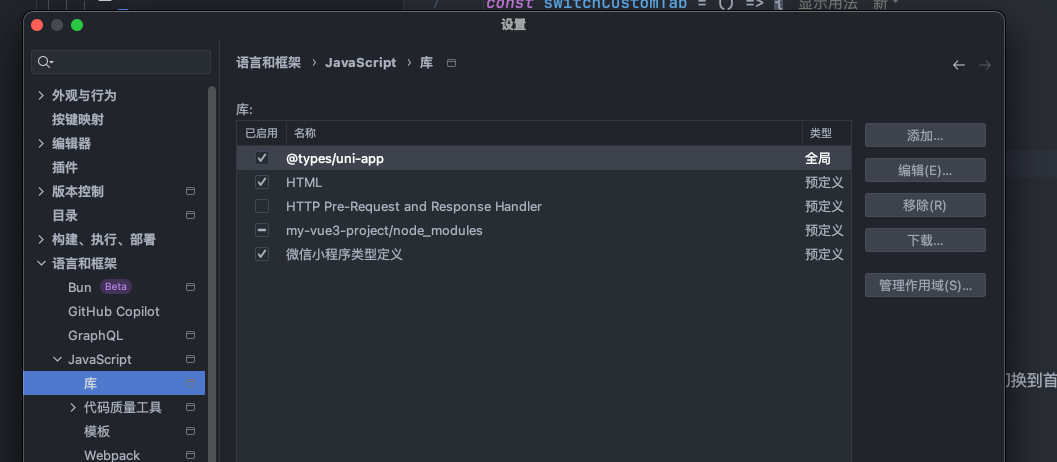
设置 - 语言与框架 - JavaScript - Libraries - Download - uni-app
微信小程序类型提示
|
|
安装后手动导入:
|
|
或者在 ts 配置中指定:
在 tsconfig.json 中指定 types: ["minigame-api-typings"]
或者通过 三斜杠指令 引用:
|
|
引入后直接使用
|
|
获取用户信息
2021 年 4 月 28 后
wx.getUserInfo 或 <button open-type="getUserInfo"/> 将不再弹出弹窗,直接返回默认信息
公告:微信开放社区
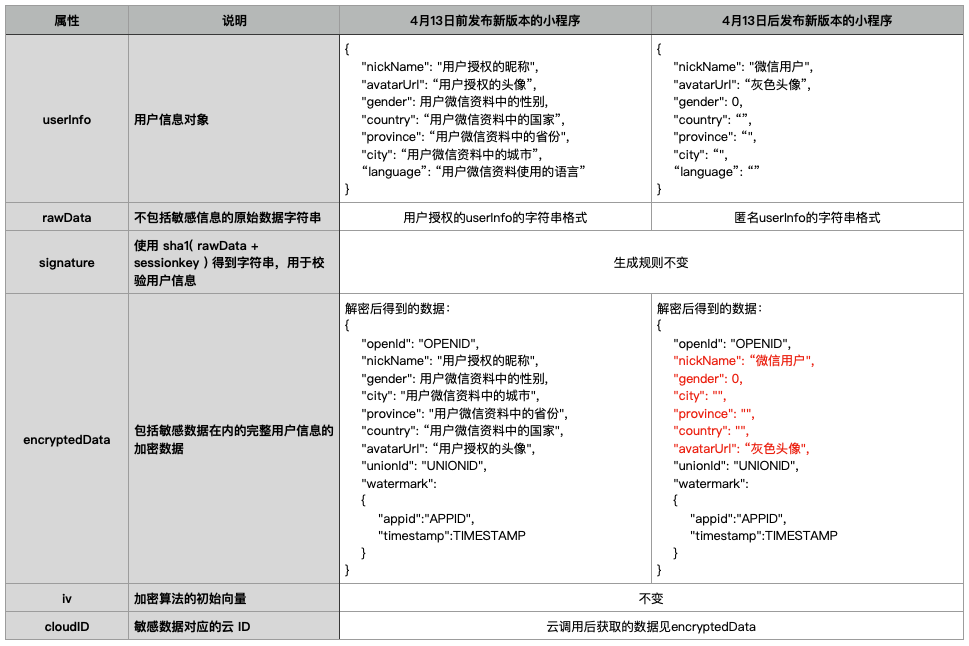
建议使用 wx.getUserProfile(Object object) 接口
开放接口 / 用户信息 / wx.getUserProfile
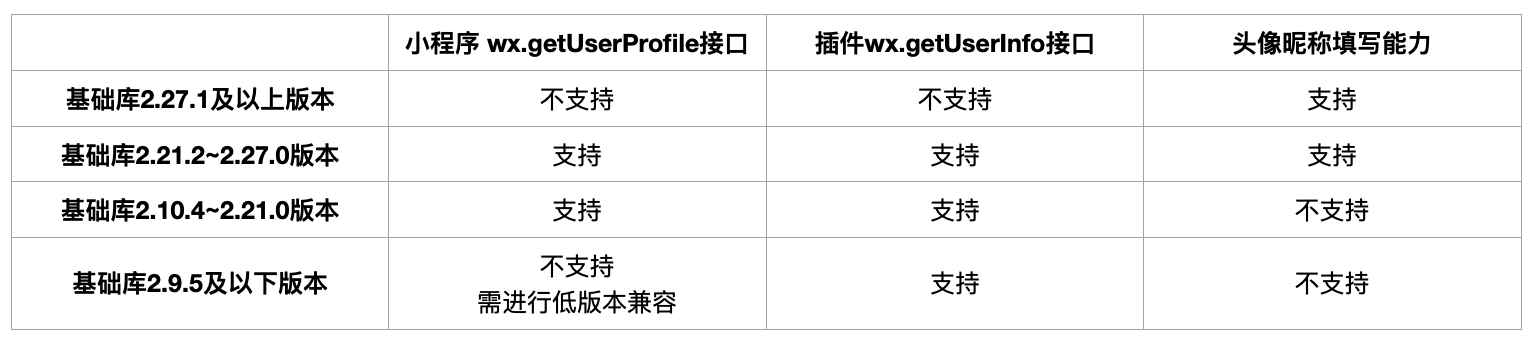
2022年11月8日24时 后
wx.getUserProfile 接口将被收回
公告:微信开放社区
建议实践